
Studio basics
Studio editor panels, object types, value objects, Storage, testing and publishing.
Opening Studio
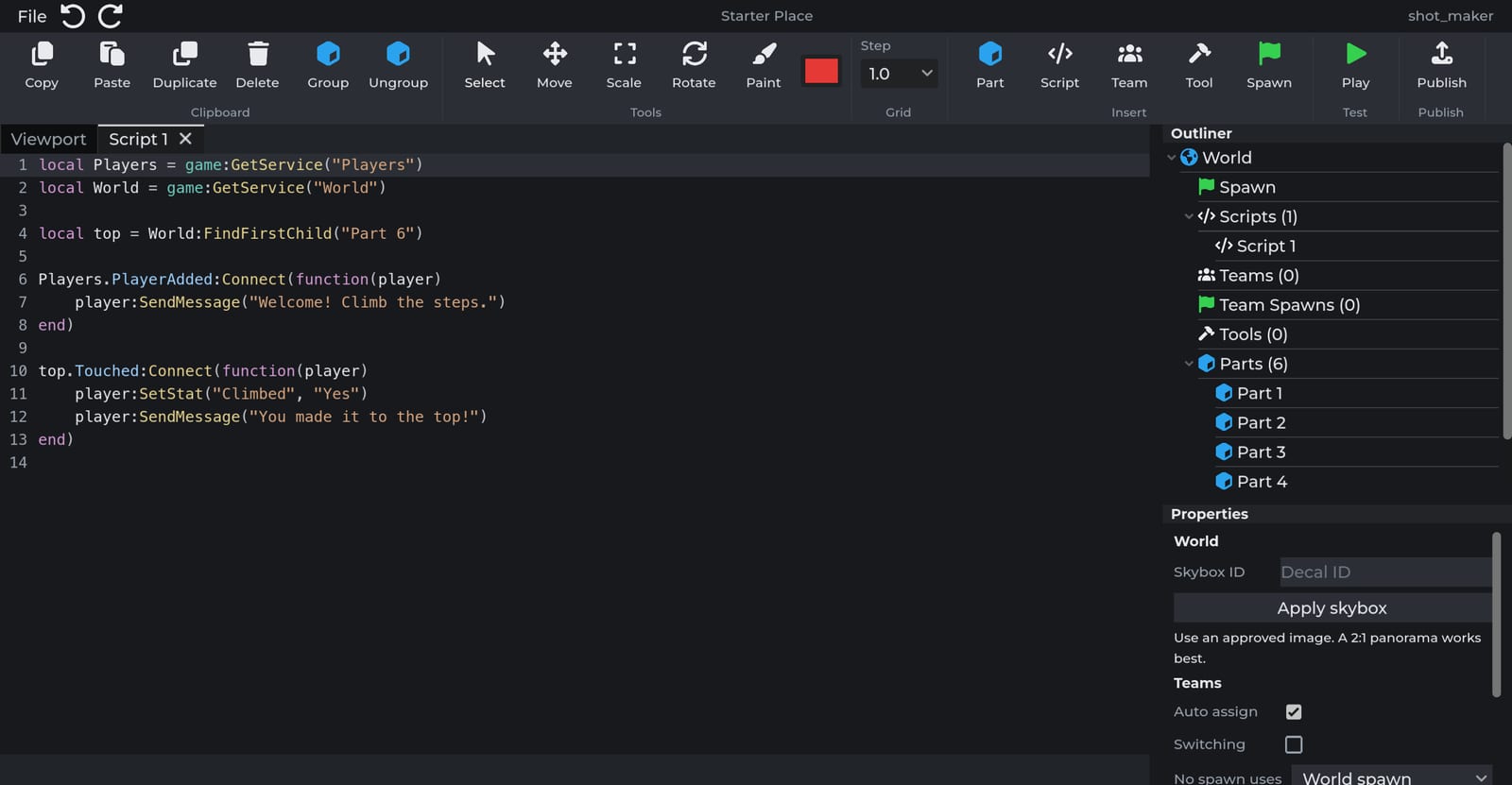
Studio is available in the desktop app and in the browser. Open it from Create on the website and select a game.
Panels
| Panel | Description |
|---|---|
| Ribbon | Clipboard, selection and transform tools, paint, and insertion of parts, scripts, teams, tools, spawns and SpotLights. |
| Viewport | 3D view. Right-drag to orbit, scroll to zoom. |
| Explorer | Object tree: StarterGui, Scripts, Teams, Tools, Parts and Storage. |
| Properties | Properties of the current selection. |
| Toolbox | Prebuilt models and scripts, and the Creator Marketplace. |
| Output | Studio and script output during tests. |
Panels can be toggled from the View section of the ribbon. The layout persists between sessions.
Parts and models
Insert a part with Part on the ribbon and edit its size, color, material, transparency and physics in Properties. Parts are anchored by default. Unanchored parts are simulated by physics.
Group wraps the selection in a model. A model is transformed, cloned and destroyed as one unit.
Values
Right-click an object in the Explorer and choose a value type, such as New IntValue, to add a value object.
| Class | Type |
|---|---|
| StringValue | string |
| IntValue | Integer |
| NumberValue | Floating-point number |
| BoolValue | boolean |
| Vector3Value | Vector3 |
Values can be parented to parts, models, other values and scripts, and are read through .Value. See Settings with values.
Storage
Storage is at the bottom of the Explorer. Objects in Storage are not rendered, do not collide and are not replicated to clients until a script clones them into the world. See Storage.
Scripts
Add a script with Script on the ribbon, or right-click a part, model or tool and choose New Server Script or New Client Script. Double-click a script to open the editor. Runs on in Properties switches between Server and Each player, and Enabled turns the script off.
Testing and publishing
Play starts a local test session with scripts running and Output attached. Stop returns to editing. Changes made during a test are discarded.
Publish uploads the world. New servers load the published version.